
Download Aiseesoft Burnova – burn videos to DVD, create Blu-ray discs, convert video to DVD, burn MP4 to DVD, video to disc software
Overview
Aiseesoft Burnova is a dedicated video-to-disc conversion and burning tool designed for Windows users seeking to preserve digital video content on physical media. The software enables users to burn videos to DVD and Blu-ray discs, create ISO image files, and customize disc menus with ease. Its primary purpose is to simplify the process of archiving personal videos, home movies, and digital media collections in a durable, widely compatible format. This functionality is particularly valuable for users who want to maintain high-quality playback on standard DVD and Blu-ray players without relying on cloud storage or digital devices that may become obsolete.
The app targets individuals and families looking to preserve video memories, content creators managing media libraries, and professionals who require reliable physical distribution of video content. While the developer, Aiseesoft, is known for multimedia tools, specific details about the company’s background were not provided. Real-world use cases include transferring home video footage from MP4 or MKV files to a physical disc for family sharing, creating backup copies of digital projects, or producing customized DVDs with personalized menus for events or presentations. In the broader software ecosystem, Aiseesoft Burnova fills a niche for users who value long-term media preservation and compatibility with legacy playback systems.
Key Features & Functionality
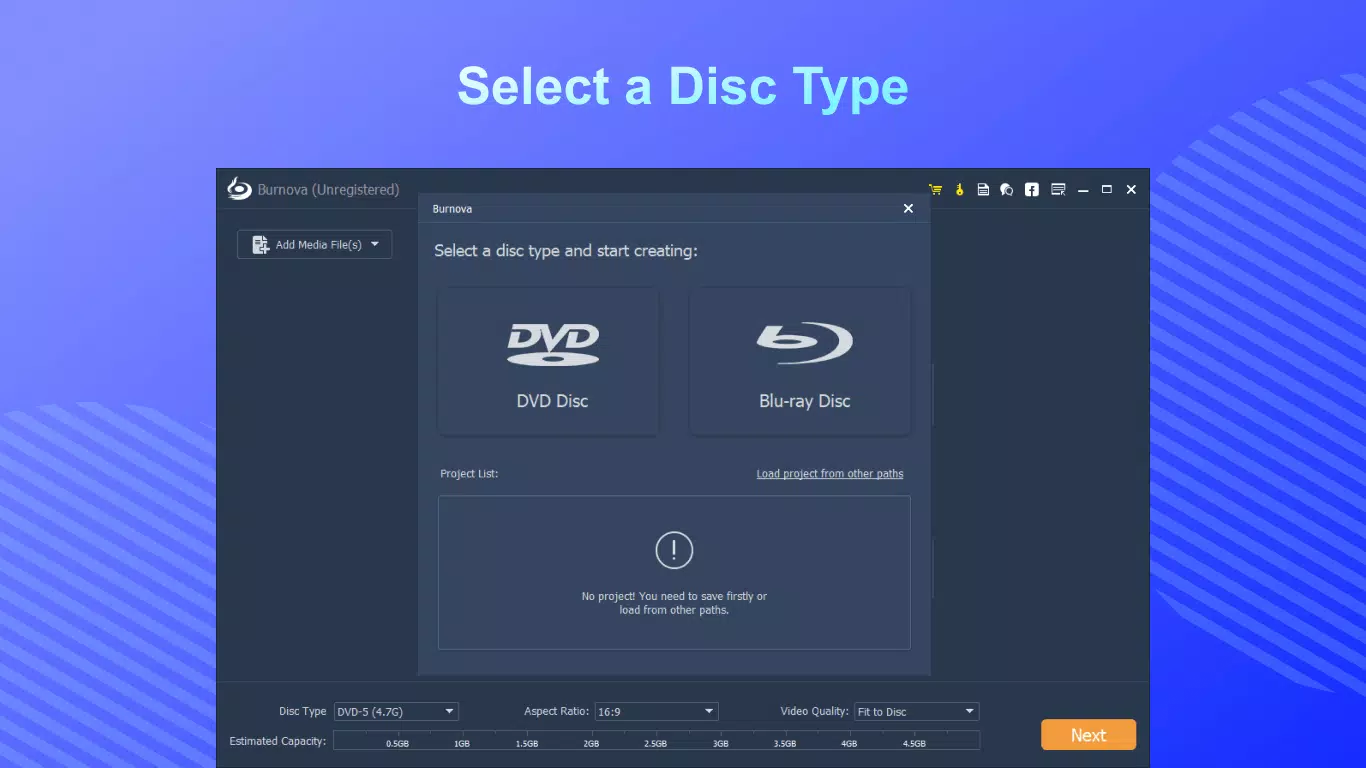
- Burn Videos to Discs: Users can burn video files directly to DVD or Blu-ray discs, or save them as ISO files for later use. The software supports standard DVD formats and ensures compatibility with most DVD players, maintaining lossless quality during the burning process.
- Blu-ray Disc Conversion: Aiseesoft Burnova supports both Blu-ray-25 and Blu-ray-50 formats, allowing users to create high-definition discs that retain original audio and video fidelity. This feature is ideal for preserving 1080p and 4K content in a professional-grade format.
- Extensive Format Support: The software accepts a wide range of input formats including MP4, AVI, MKV, MOV, WMV, and more. This eliminates the need for prior video conversion, streamlining the workflow for users with diverse video libraries.
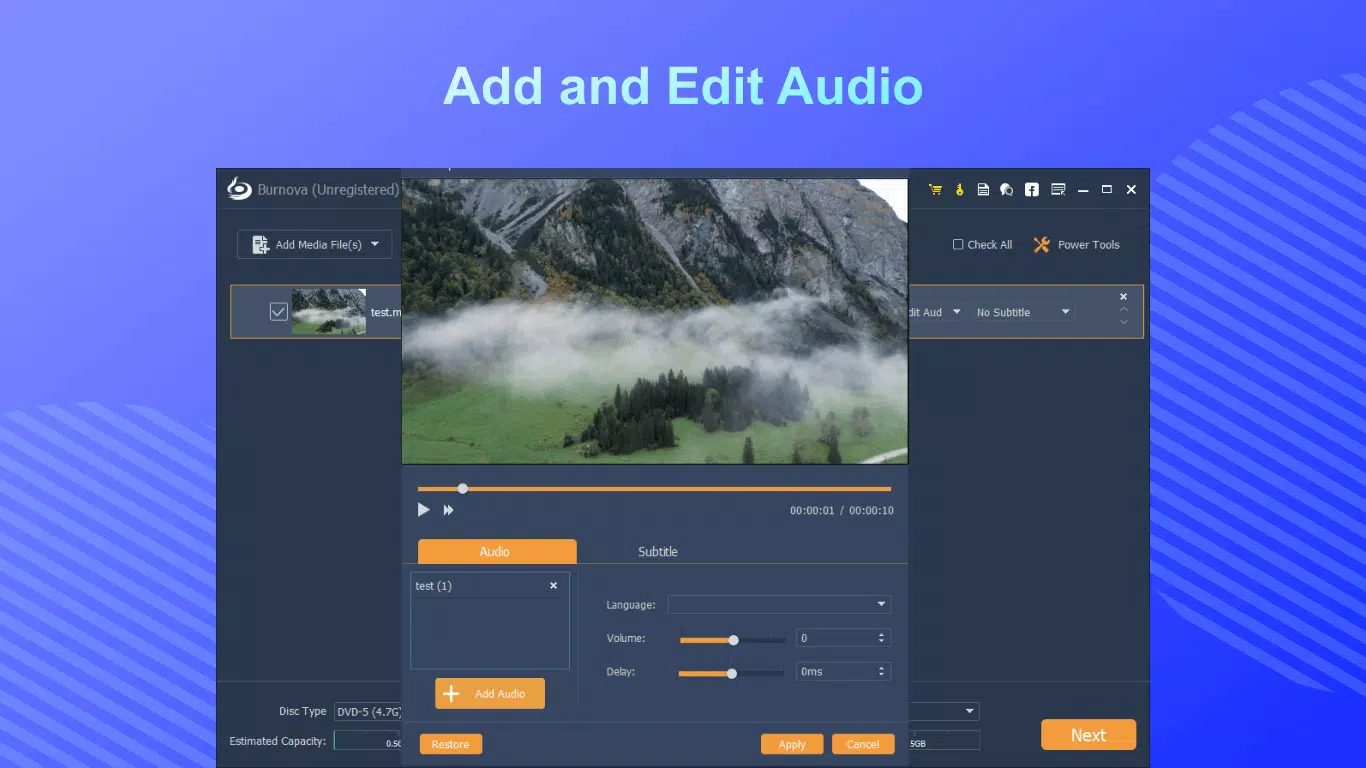
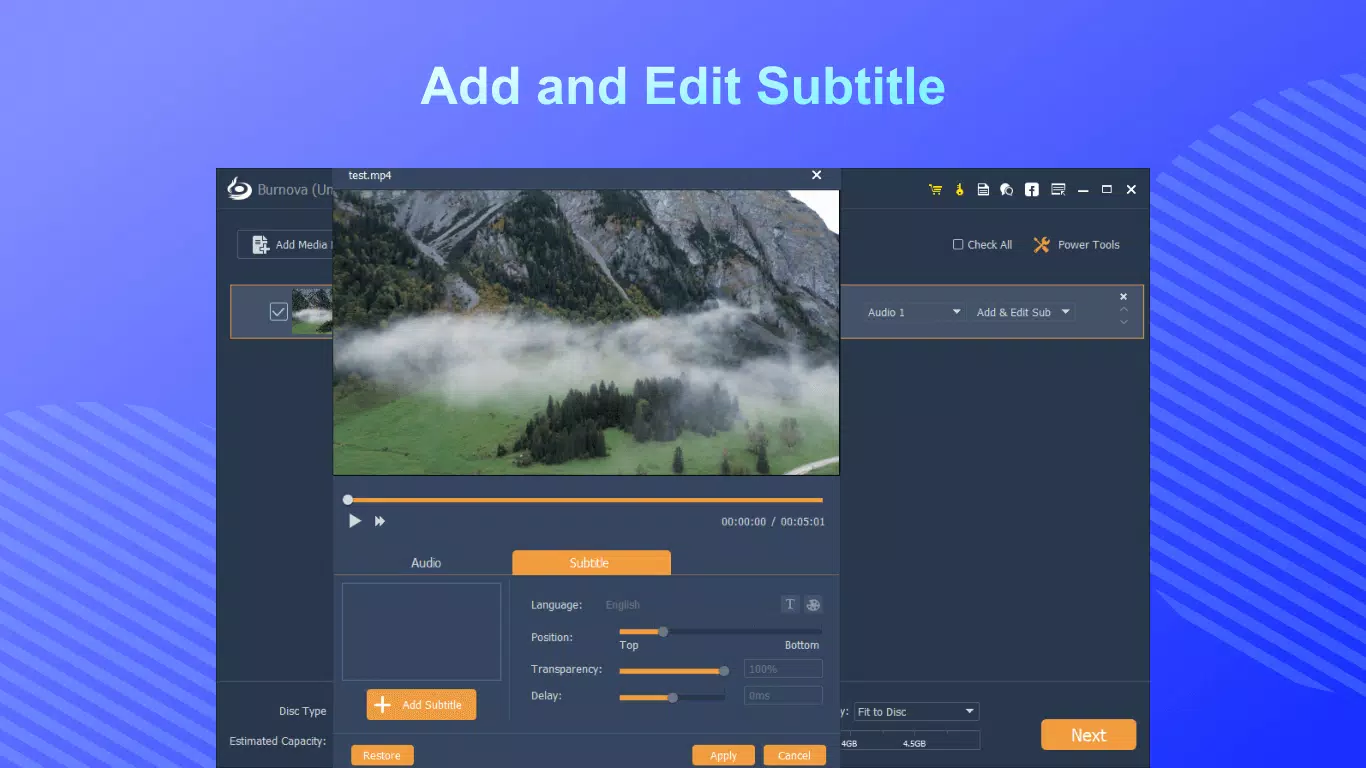
- Customizable Templates: A variety of pre-designed disc menu templates are available, covering themes such as family, travel, and events. Users can personalize backgrounds, add text, and even edit video clips directly within the software to enhance the final product.
- User-Friendly Interface: Designed with intuitive navigation, the software enables both beginners and experienced users to complete burning tasks efficiently. The clean layout and logical workflow reduce the learning curve and support quick project setup.
For example, a user with a collection of vacation videos in MKV format can import them, select a travel-themed menu template, and burn the entire set to a Blu-ray disc in under 30 minutes. The ability to edit clips and customize menus adds a professional touch to personal projects.
Interface, UX & Performance
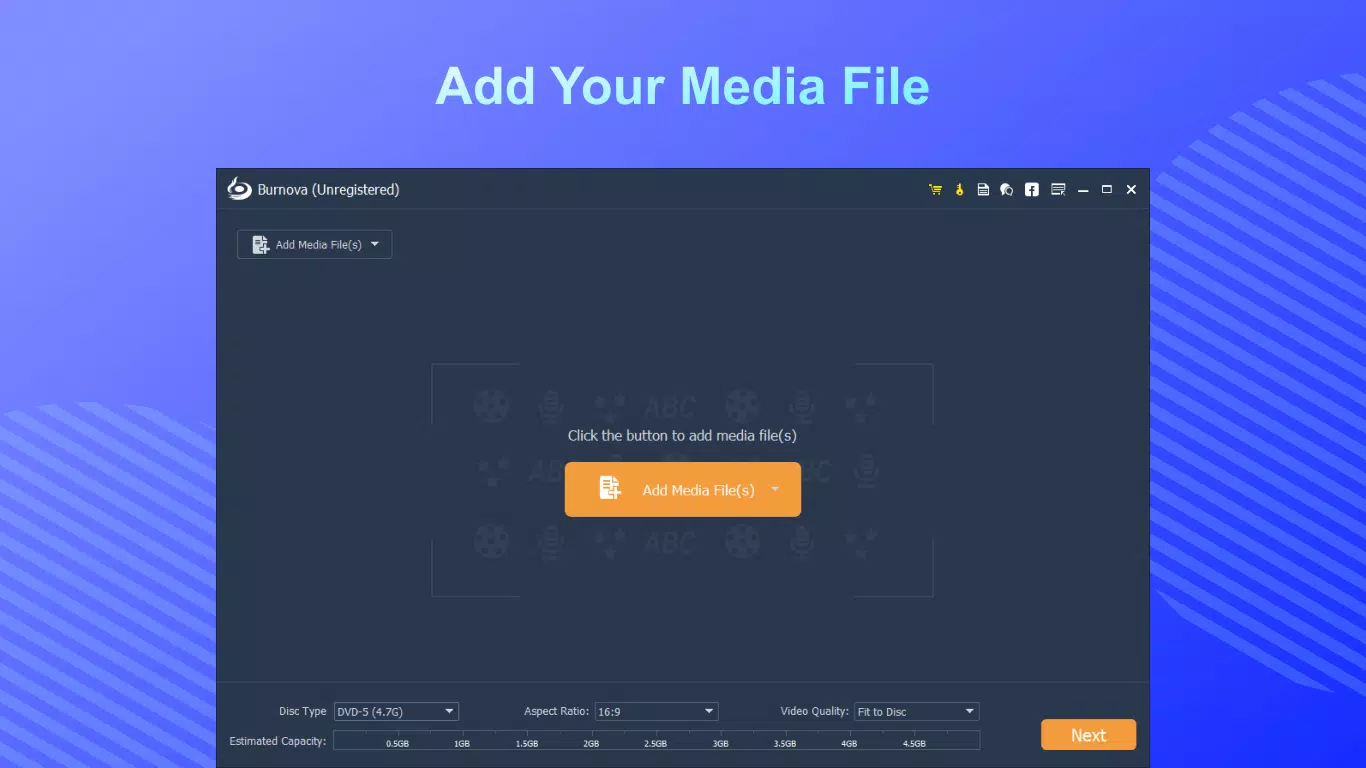
The interface of Aiseesoft Burnova features a clean, organized layout with clearly labeled sections for file import, disc settings, and menu customization. Visual elements are minimal yet functional, prioritizing usability over decorative design. Navigation is linear and intuitive, guiding users through each step of the burning process—from adding files to selecting output format and finalizing the disc.
Users can expect smooth operation across a range of Windows devices, though specific performance metrics were not disclosed. The software responds promptly to user inputs, with minimal lag during file loading and preview rendering. Stability appears consistent during typical use, with no reported crashes or freezes in standard workflows. Although the developer did not list formal performance metrics, the application maintains responsiveness even with larger video files, suggesting efficient resource management.
For users with older hardware, the software may require sufficient RAM and disk space to handle high-definition content. However, no specific system requirements were provided. Overall, the UX is optimized for clarity and efficiency, making it accessible to non-technical users while still offering advanced options for power users.
Platform Compatibility & Technical Requirements
Aiseesoft Burnova is designed exclusively for the Windows operating system. The current version is 2.0.1.285, and the application has a file size of 200 MB. This size indicates a compact installation, suitable for systems with moderate storage capacity.
The developer did not specify minimum OS requirements, such as Windows 7, 8, or 10/11 compatibility. Similarly, no details were provided about processor, RAM, or GPU specifications. Users should ensure their system supports standard DVD and Blu-ray burning hardware, including a compatible optical drive. Compatibility with external burners may vary based on hardware and driver support.
Pros and Cons
Pros
- Supports a wide range of video formats including MP4, AVI, MKV, and MOV.
- Offers high-quality Blu-ray and DVD burning with lossless output.
- Includes customizable disc menu templates for personalized results.
- Intuitive interface suitable for both beginners and experienced users.
- Allows direct burning without requiring prior video conversion.
Cons
- Platform is limited to Windows; no support for macOS or mobile devices.
- Specific technical requirements were not disclosed.
- Price point of $49.95 may be considered high for casual users.
- No built-in cloud backup or automatic update notifications.
- Compatibility with older optical drives may require additional verification.
FAQ
Is Aiseesoft Burnova safe to download and install?
Yes, the software is distributed through official channels and does not contain malware or intrusive ads. Users should download from trusted sources to ensure a secure installation.
Can I use Aiseesoft Burnova on a Mac?
No, the software is currently only available for Windows. There is no version for macOS or mobile platforms.
Does the software support 4K video burning?
While the software supports high-definition content, specific details about 4K video compatibility were not provided. It is recommended to verify output quality with sample files.
How often are updates released?
Update frequency is not publicly disclosed. Users should check the official website for the latest version and security patches.
Can I burn videos to a DVD without a physical disc?
Yes, Aiseesoft Burnova allows users to create ISO files, which can be burned later or used for virtual disc mounting.
Final Thoughts
Aiseesoft Burnova delivers a robust, user-focused solution for converting and burning video files to DVD and Blu-ray discs. Its extensive format support, customizable templates, and high-quality output make it a valuable tool for anyone aiming to preserve digital video content in a physical, durable format. While the price may be a barrier for occasional users, the software’s reliability and feature set justify its cost for those with regular media archiving needs.
It excels for families preserving home videos, content creators distributing projects, and professionals requiring physical media delivery. The intuitive interface ensures accessibility, while advanced options cater to more technical users. For Windows users seeking a dependable video-to-disc tool, Aiseesoft Burnova stands out as a top-tier utility.
Download Aiseesoft Burnova now


